Rules change all the time. That’s expected. That’s why you keep them in DecisionRules instead of in code. Still, sooner or later someone looks at the result and asks: why is this working this way now? The rule itself won’t answer that. It shows how things work today, but not how they got here.
That’s where Event Logs come in.
What Are Event Logs
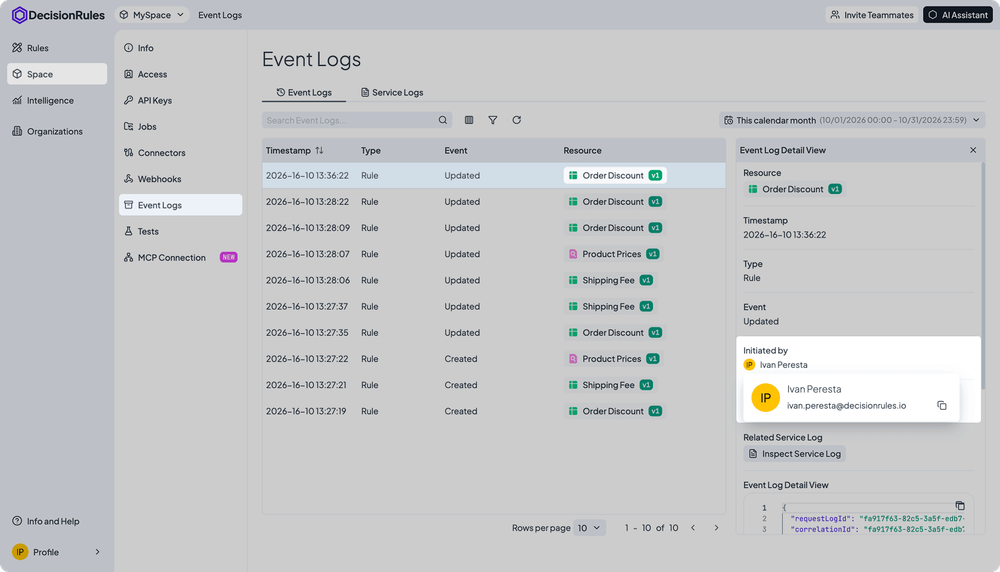
Event Logs are a record of everything that happens to rules in your Space. Each entry shows one action: a rule was created, changed, a new version published, or shared with another Space. Entries appear in order, so you can read the history like a timeline.
No change is anonymous. If a teammate made an edit, you’ll see their name. If an external system made the change, you’ll see which one.
Finding the logs is simple. Go to Space → Event Logs to see all activity in your Space. Or, open a rule’s settings and click Inspect Event Logs to see only that rule’s history.
Here’s how it looks: from an empty Space to the first log entries.
It sounds straightforward. But the real value shows up when something isn’t working as expected. Here are three situations most teams face.
Situation 1: The Monday Surprise
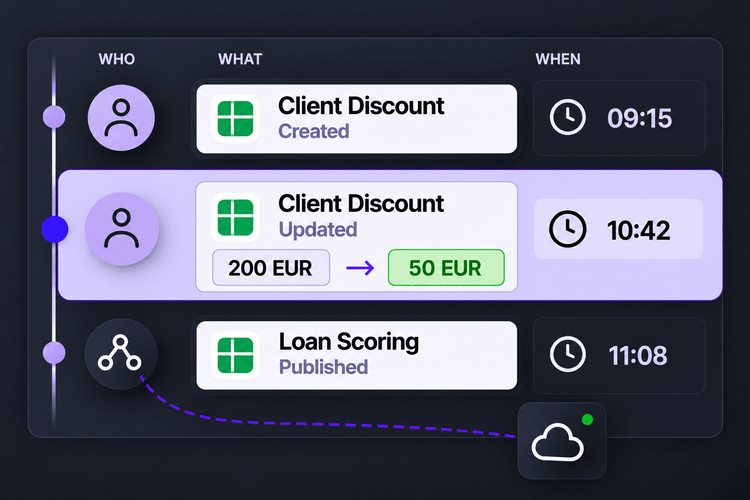
Weekend sales numbers look great. But profit margins dropped. The team quickly finds the issue: the discount rule now gives Gold customers 20% off starting at 50 EUR, instead of 200 EUR. No one on the team remembers making that change.
Instead of asking around, they check the Event Logs. There, they see every change made to the rule in order. When each update happened and who made it. Now they know exactly who to talk to, and when the issue started. Once the rule is fixed, that edit also shows up in the logs. The record stays complete.
Every rule change is visible in the logs, along with who made it.
Situation 2: The Auditor's Question
During a quarterly review, an auditor notices a sudden increase in approved loan applications. They ask: when did the customer evaluation logic change, and who approved it?
Without logs, this could take a full day of digging through emails and old files. With Event Logs, the answer is ready. You can see when the first version was created, when the second version was published, and exactly who published it. You don’t reconstruct the story from memory.
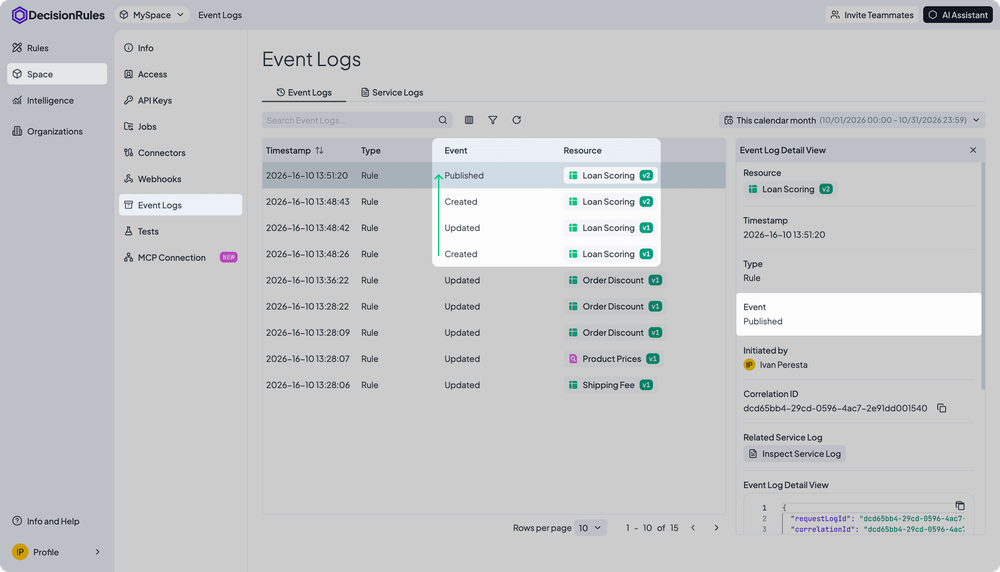
A new rule version, with clear details on who published it and when.
Situation 3: A Change No One Made
The sales team reports an issue: deals worth 35,000 EUR are now going to the large account team. But no one in their Space edited the routing rule.
The reason? The rule is shared. It’s managed in another Space and only published here. Event Logs make this clear: the entry is marked as a change Originated in another space, and you can see which one. One click takes you to where the change was made. The mystery becomes a routine update.
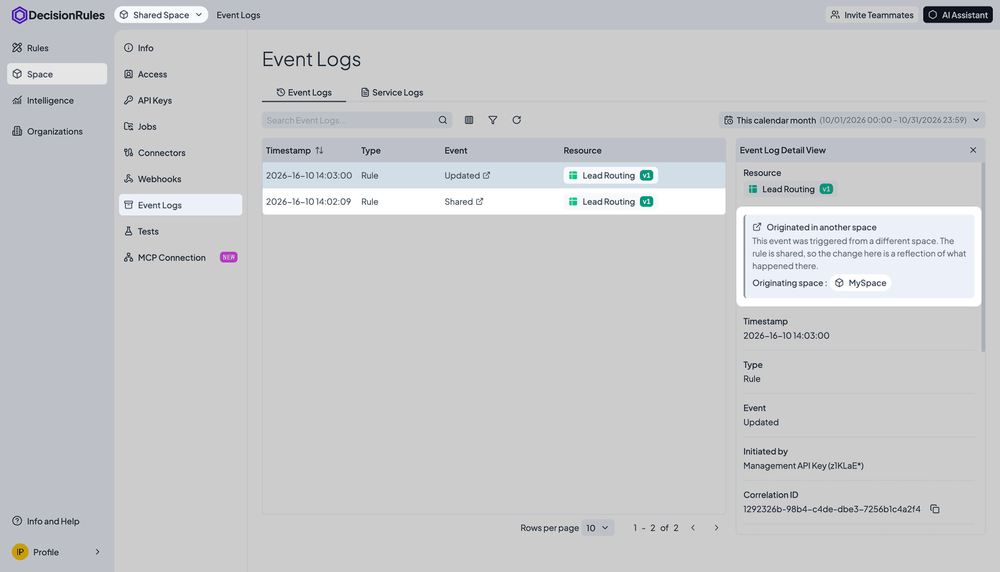
Changes in shared rules are clearly marked, with the source Space identified.
What This Gives Your Team
Event Logs don’t change how you work with rules. They just remove the need to hunt down answers to simple questions.
- Faster answers, no blame game. Every change has an author, so a conversation takes minutes, not hours.
- Peace of mind during audits. The change history exists before anyone even asks.
- Clarity, even with automation. Changes from connected systems are as visible as those from people.
- Consistency across shared rules. You always know where a change came from.
- Freedom to move fast. Business users can manage rules safely—because every action leaves a trace.
What’s Next
Event Logs answer “who changed what and when.” If you need to understand how a specific decision was made check Audit Logs.

Ivan Peresta works at DecisionRules, where his role spans product analysis, professional services, and customer support. He is involved across the full lifecycle of product features, from early design and UX thinking to hands-on testing, documentation, and customer-facing delivery. His work bridges the gap between product development and the people who actually use it, whether that means helping a customer design their rule system or making sure a new feature ships with clear guidance and working examples.