Rules Creation
Turn business requirements into working decision logic with AI. Describe what you need in plain language, upload a document, or provide structured data, and the AI Assistant can create Decision Tables, Scripting Rules, Lookup Tables, and Decision Flows directly in DecisionRules.
~60%
Faster rule authoring with AI Assistant
3x
Daily productivity increase
3x
Faster onboarding to the platform
From Text to Rule
Describe your business requirement in plain English. The Assistant interprets the logic and creates a Decision Table, Scripting Rule, Lookup Table, or Decision Flow based on what you need.
Excel to DecisionRules
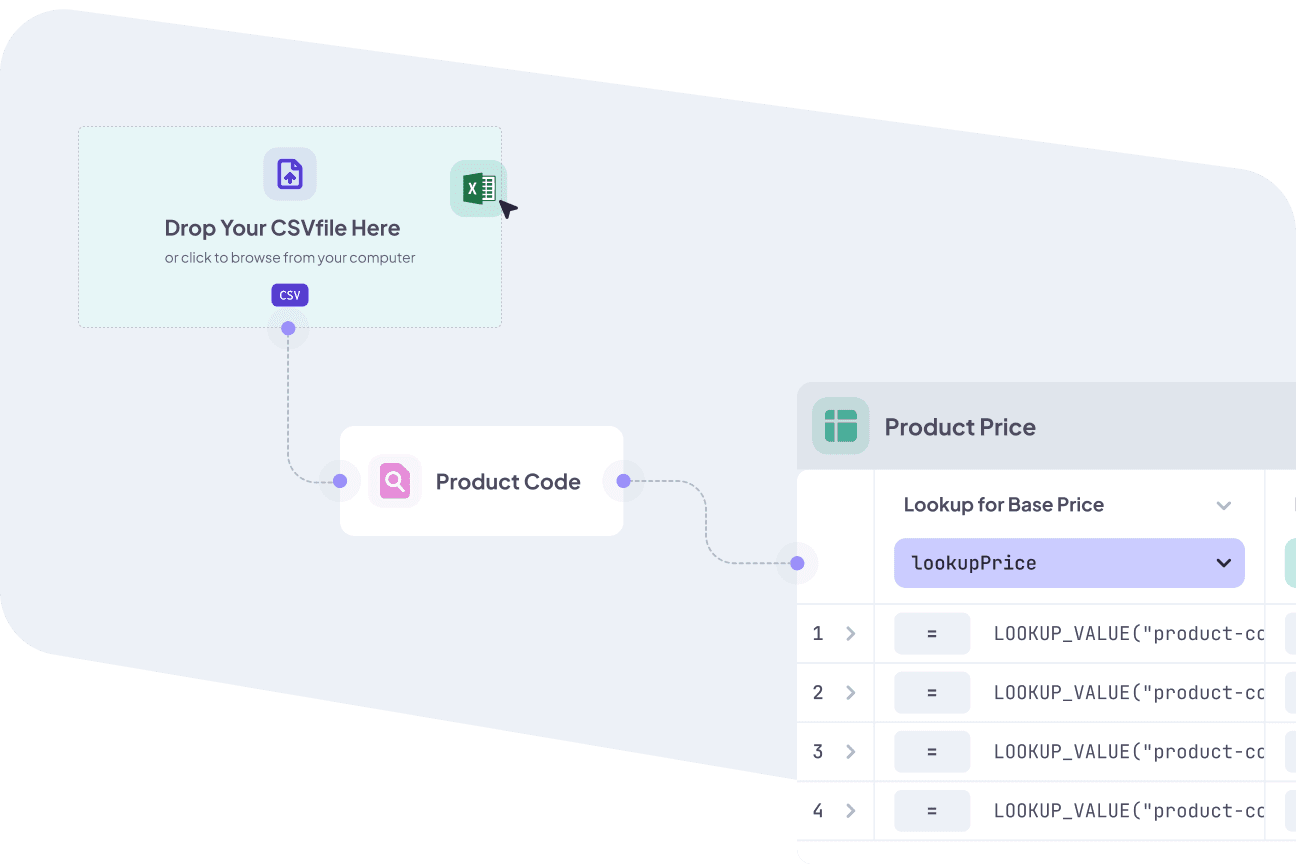
Paste data from your existing spreadsheets. The assistant reads the structure, identifies formulas, and recreates the logic as a clean Decision Table, ready to run.
Measured, Not Claimed
We ran a controlled experiment across three experience levels. The ~60% time reduction and 3x productivity gain come from actual benchmarks, not marketing estimates.
Describe Logic, Get a Working Rule
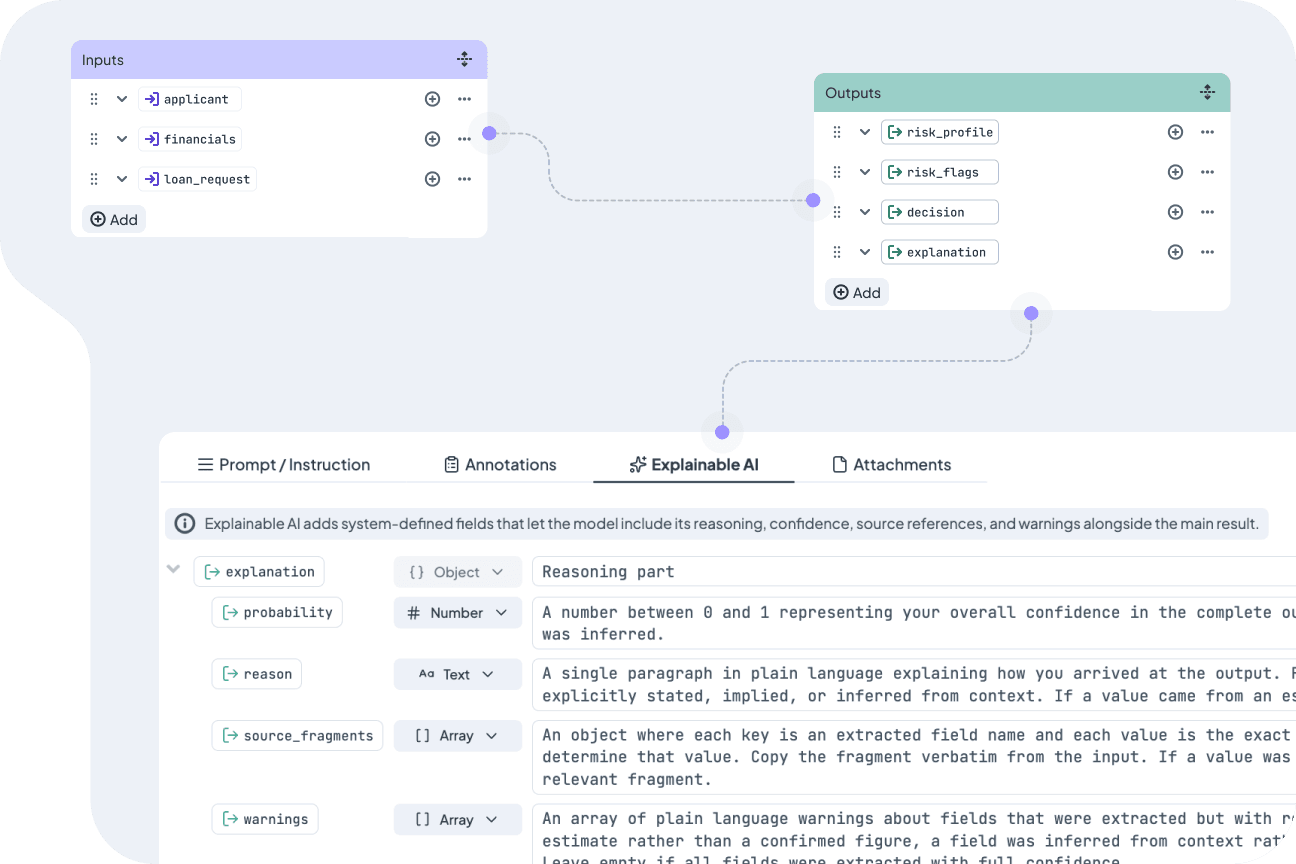
You know what your decision logic should do. Maybe it is a discount structure, a risk classification, an eligibility check, or a multi-step decision process. Describe the requirement in natural language and the Assistant creates the right structure for you.
Depending on your requirements, it can build a Decision Table, Scripting Rule, Lookup Table, or Decision Flow. You review the generated logic, adjust it if needed, and continue from there.
- Generate rules and flows from written descriptions
- Input/output models created automatically
- Handle conditional logic, calculations, classifications, and multi-step processes
Turn Excel Into Rules Fast
Migrating legacy logic is often the biggest bottleneck for new teams. Instead of translating row by row and risking errors during manual data entry, copy your existing Excel data and let the assistant do the work.
The assistant does not just move the data. It identifies embedded formulas and recreates them using native Decision Table operators, which is considered a best practice for tables that are easier to manage and modify.
- Paste Excel data directly into the assistant
- Formulas extracted and recreated as native logic
- Cleaner tables that follow best practices
AI Beats Manual Rule Authoring
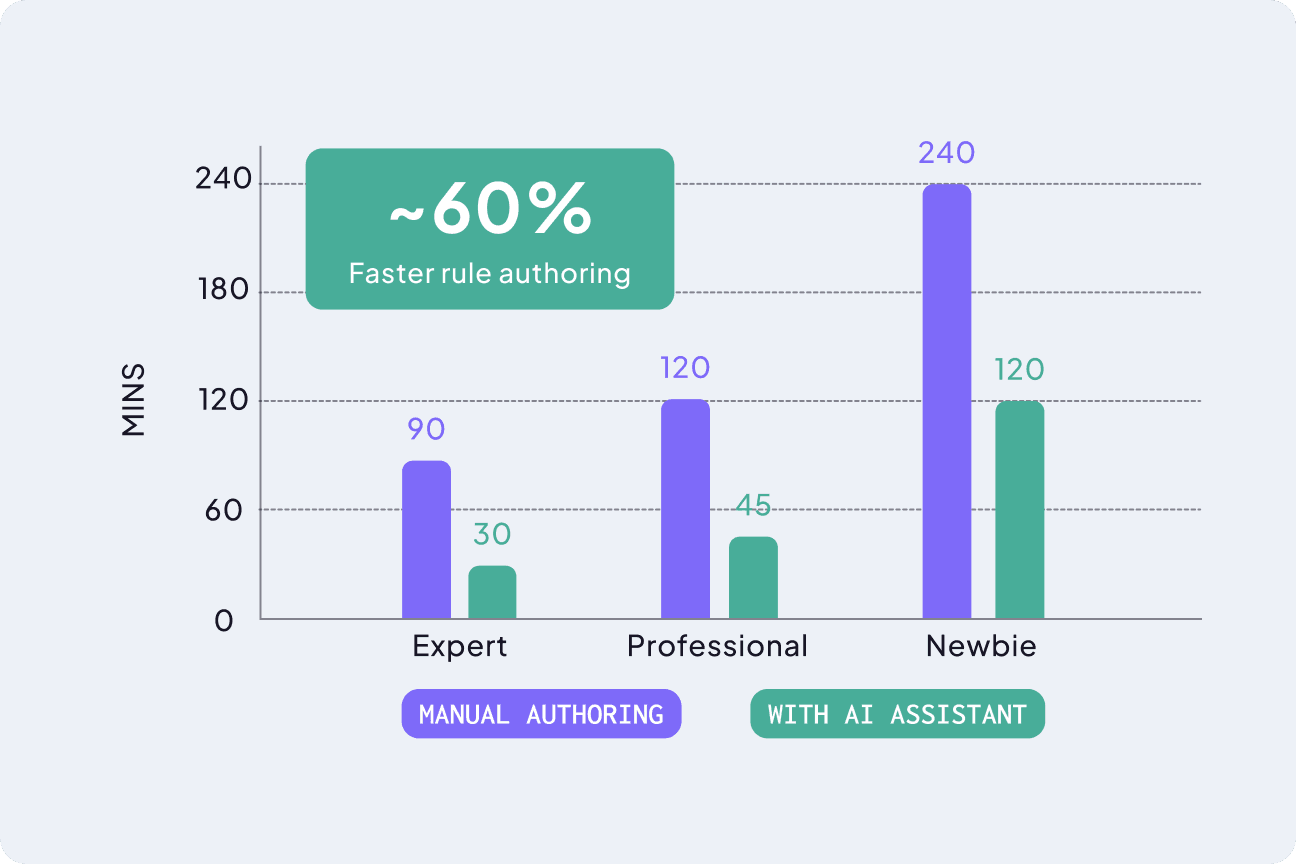
In a controlled experiment, we gave three groups (newbies, professionals, and experts) the same two rule specifications. Each group built the rules first manually, then with the AI Assistant.
Experts went from 90 minutes to 30 minutes per rule. Professionals from 120 to 45 minutes. Even new users cut their time in half, from 240 minutes down to 120. The assistant does not just speed things up. It also produces tables that follow QA best practices, making them easier to maintain long term.
- Expert: ~67% time reduction per rule
- Professional: ~63% time reduction per rule
- Newbie: 50% time reduction per rule
Frequently Asked Questions
Still have questions? We have answers.
Rules Creation with AI
Quality and Accuracy
Try for Free
Experience DecisionRules at no cost. A credit card is not required for the trial.
Start for freeContact Sales
Have questions? Our sales team is here to help you find the best solution for your business.
contact sales