Rule Versioning
Change your rules without putting production at risk.
Business logic never stands still. Rule Versioning lets you develop the next iteration while the current version keeps running in production. Test changes safely, compare versions side by side, and publish only when the new logic is ready.
See Rule Versioning in DecisionRules
The current rule can keep running while its next version is prepared separately. See how the same workflow looks inside DecisionRules—from creating a new version to changing its Pending status.
Safe Iteration
Build and test major changes in a separate rule version while the published logic remains available to your applications. Your team can experiment without overwriting the production-ready version.
Predictable Releases
Every new version starts in Pending status, where it can be edited without affecting production. Evaluate it in Test Bench with Debug enabled, then publish when it is ready.
Clear Change Control
Keep clean checkpoints for every important update. Sequential version numbers, side-by-side comparison, and a shared Rule ID make it clear what changed and which version an integration uses.
Update Business Logic Without Overwriting What Already Works
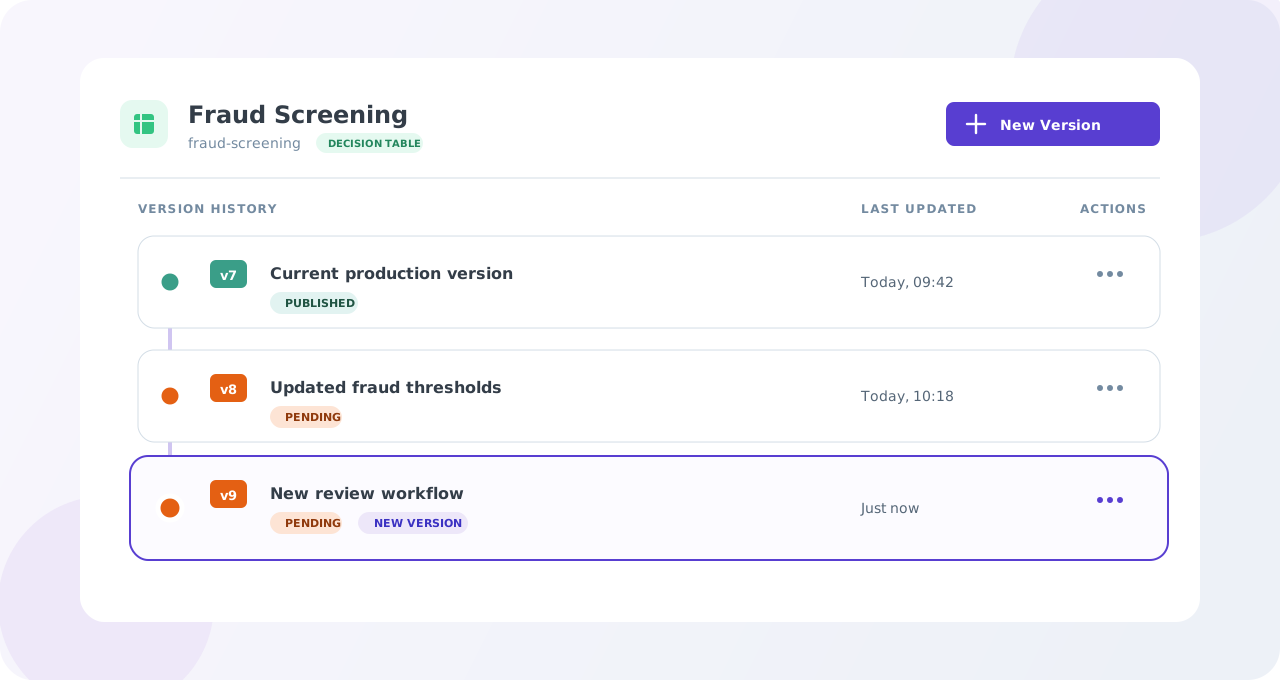
Create a new version from an existing rule and continue working with the same Rule ID and Rule alias. DecisionRules copies the selected rule, assigns the next version number, and keeps the original version unchanged.
- Preserve the rule's identity across every version
- Number versions automatically as v1, v2, v3, and onward
- Continue numbering from the highest existing version
- Create a new version from the rule editor or rule list
- Keep meaningful release checkpoints without duplicating rules manually
Test the New Version Before Applications Can Use It
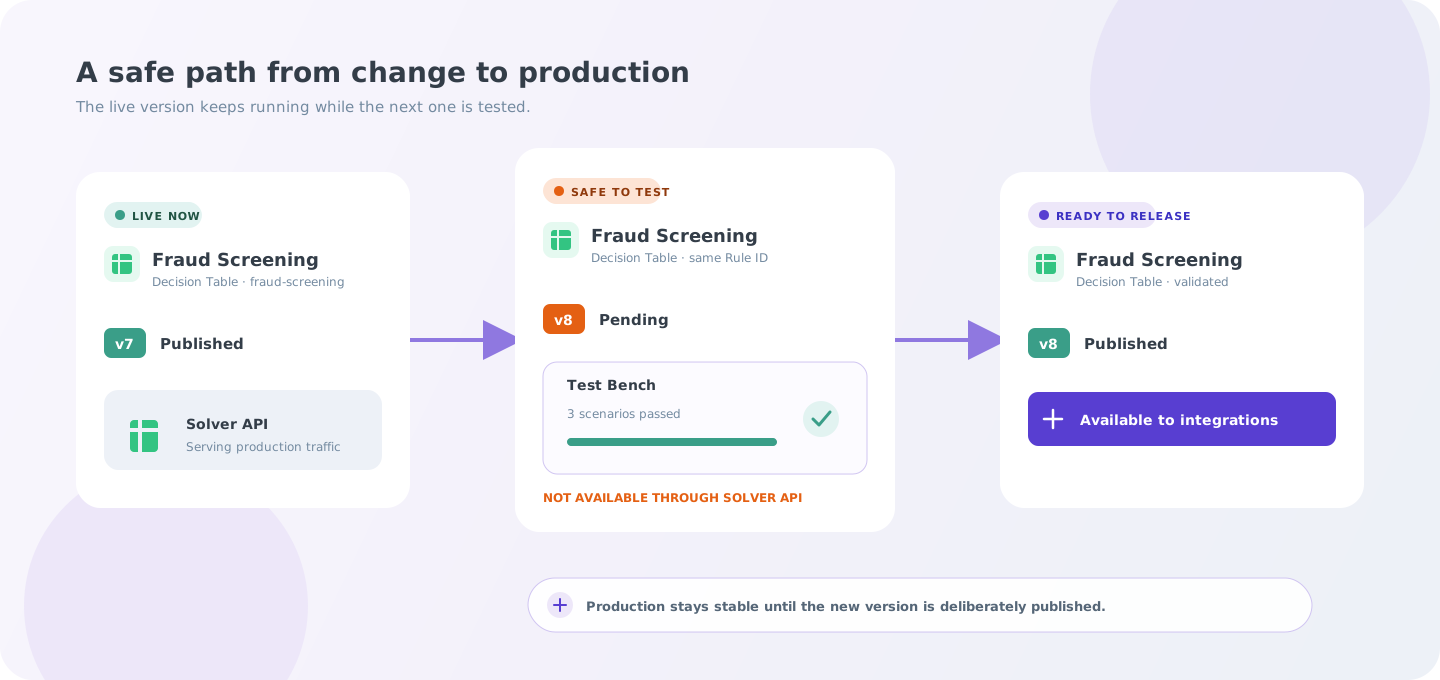
The published version keeps serving production while the next version is prepared and tested separately in Pending status. It becomes available to integrations only after it is deliberately published.
Every new version starts in Pending status. It can be edited and evaluated in Test Bench with Debug mode enabled, but it remains unavailable through the Solver API until it is Published. When a Solver request does not specify a version, DecisionRules automatically uses the latest Published version, the highest-numbered version that is currently Published.
- Keep the currently published version available while developing the next one
- Run the Pending version in Test Bench with Debug mode enabled
- Manage the status of every version independently
- Publish the new version only after it has been reviewed and tested
- Use the latest Published version automatically, or pin an integration to a specific Published version when required
Frequently Asked Questions
Still have questions? We have answers.
Getting Started with Rule Versioning
Working with Rule Versions
Testing Pending Versions
Importing and Exporting Versions
Rule Versions and Rule History
Best Practices
Try for Free
Experience DecisionRules at no cost. A credit card is not required for the trial.
Start for freeContact Sales
Have questions? Our sales team is here to help you find the best solution for your business.
contact sales