Decision Table
Define pricing, eligibility, routing, and any other business rule in a grid that works like Excel. Your whole team can read it, edit it, and audit it.
No learning curve
If your team can read a spreadsheet, they can read a Decision Table. Click, type, navigate with arrow keys, paste from Excel. The editor works the way they expect.
Built for the AI era
"Describe your logic in plain language and the AI Assistant builds the table. Generate test data, write functions, summarize any rule. From idea to working logic in seconds.
Full transparency
Every decision your business makes is visible in one place. Audit it, explain it, change it. No black boxes, no guesswork, no dependency on whoever built it years ago.
All Rules in One Table
Every business rule your team already knows — now in one place they can own.
Decision Tables handle the logic that runs your business. If your team can describe the rule, they can build it.
- Who gets the discount and how much
- Which application gets approved and why
- Any rule your business can think of
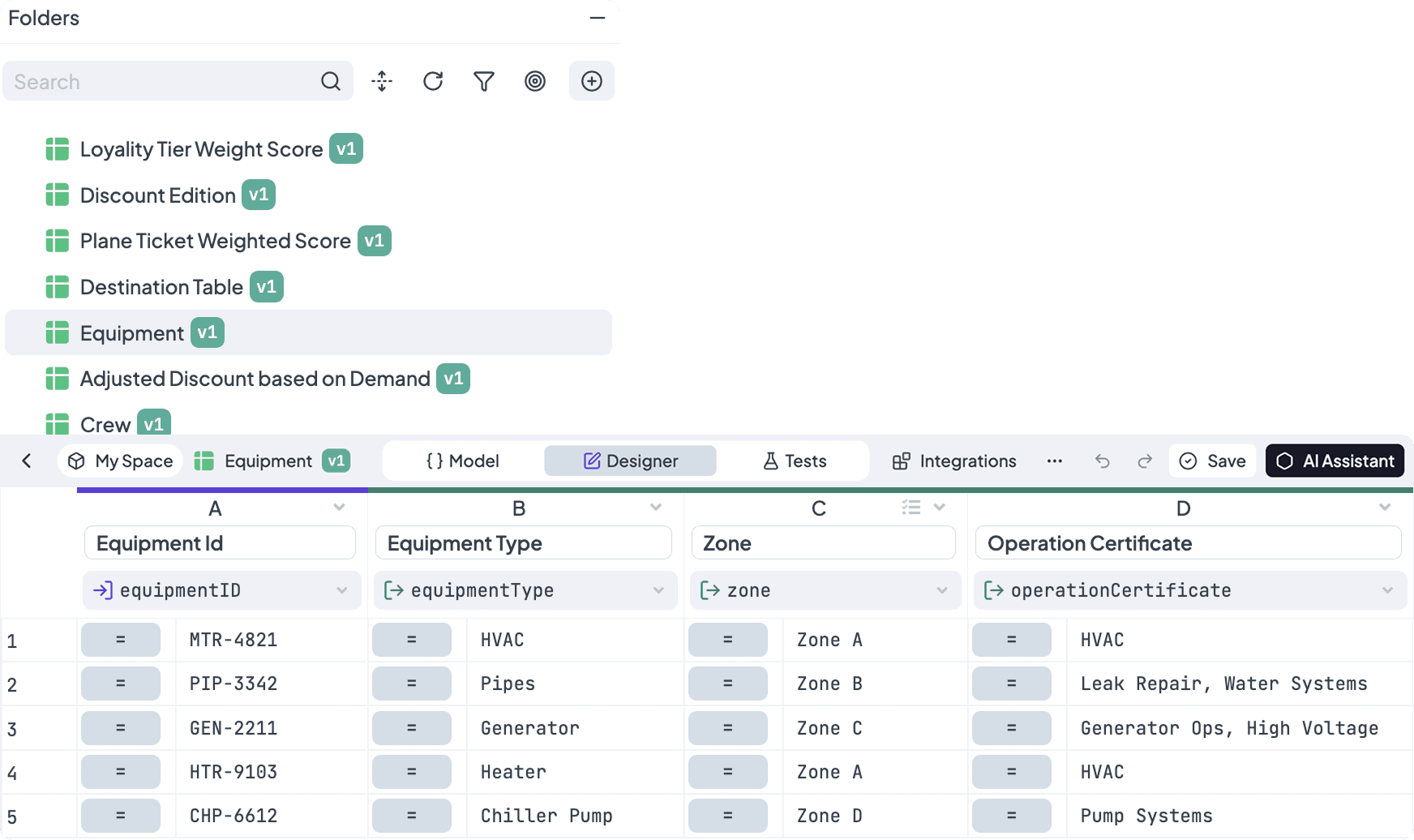
Works Like a Spreadsheet
If you've used Excel or Google Sheets, you're already at home.
- Click, type, and navigate with arrow keys, Tab, and Enter
- Copy-paste directly from Excel or Google Sheets
- Autofill, formula bar, and multi-row selection
Keep Logic and Data Apart
Connect your Decision Table to a Lookup Table — your fees, country codes, and product configurations live separately, updated by business users without ever touching the rule.
- Reference Lookup Tables directly from any cell
- No ticket, no developer — just change the data
- Your logic stays clean. Your data stays yours.
Control Every Rule Row
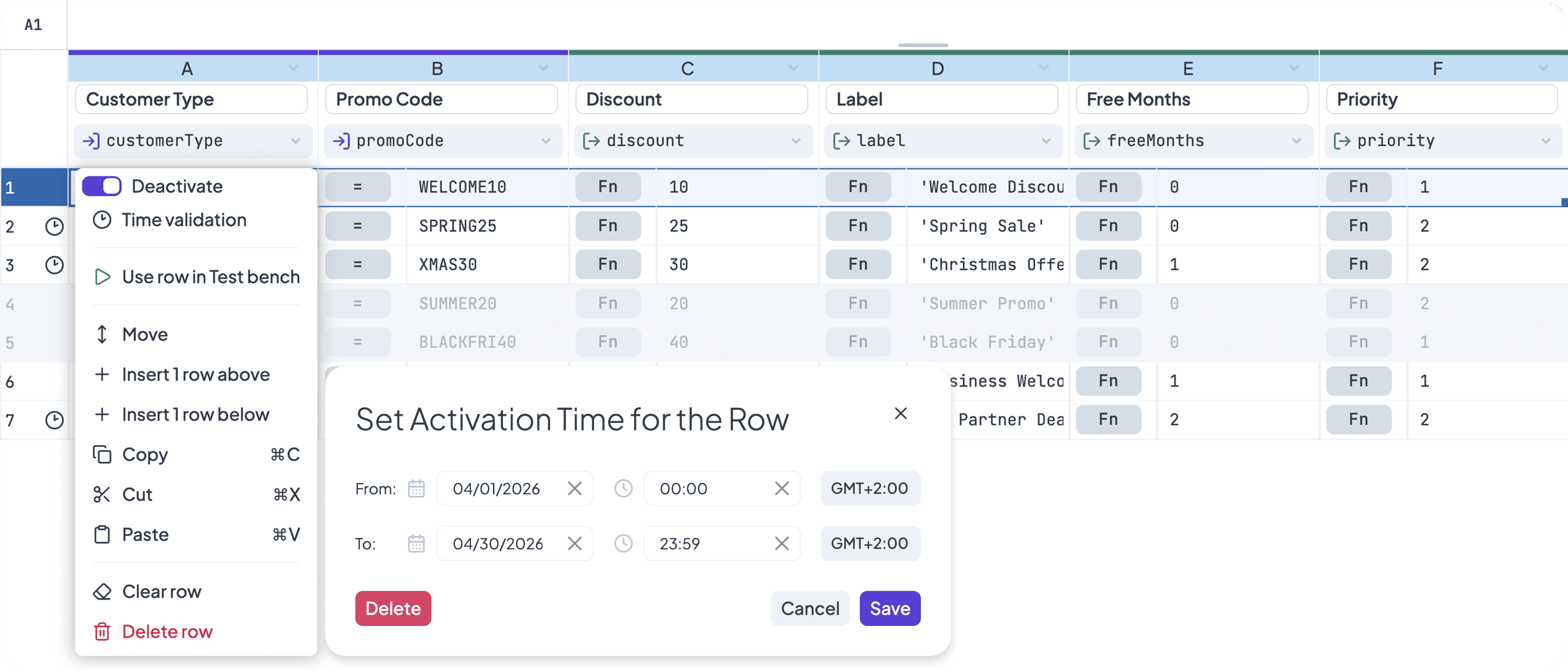
Seasonal pricing, promotional rules, temporary overrides: all handled without changing the table structure.
- Activate and deactivate rows instantly
- Set time-based validity on any row
Trace Every Decision Fast
Run your input and the table shows you everything. Green passed, red failed, matched rows highlighted. No guessing, no digging.
- Green and red cells show exactly what passed or failed
- Matched rows highlighted instantly
- Full evaluation visible directly in the table
Track Changes, Publish Safely
Decision Table versions work exactly like every other rule in your workspace. Roll back to a previous state, and publish with confidence — your logic has the same safety net as your data.
- Full version history
- Roll back to any previous version instantly
- Different versions for different purposes
Define Once Use Everywhere
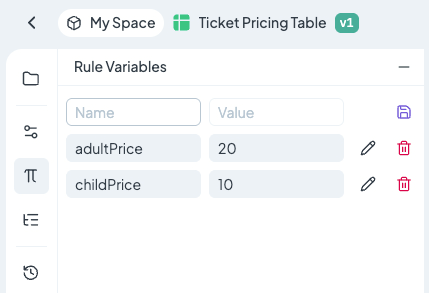
Rule variables act as a central source of truth for values that appear multiple times across your logic. Stop hardcoding data into individual cells—update a variable once, and let the changes apply instantly throughout your Decision Table.
- Centralized management for recurring values
- Simplify Rule Maintenance
- Version-specific variables keep past logic safe
Frequently Asked Questions
Still have questions? We have answers.
Getting Started with Decision Table
Working with Decision Table
Decision Table & AI Assistant
Importing and Exporting Data
Using Decision Tables in Rules
Versioning and Collaboration
Best Practices
Try for Free
Experience DecisionRules at no cost. A credit card is not required for the trial.
Start for freeContact Sales
Have questions? Our sales team is here to help you find the best solution for your business.
contact sales