
Decision Tables are powerful mechanisms for business logic, but as your rules grow, so does the time needed to analyze, test, and document them. Whether you are just getting started or migrating complex logic from legacy spreadsheets, there is often a steep learning curve to navigate.
We’ve all had that thought: "If only I could paste my Excel logic, have it converted into a working Decision Table, and instantly verify it with generated test data, I could be productive from day one."
Now you can.
We are introducing the AI Assistant, a new tool that lives directly inside your DecisionRules environment to help you build, understand, and test logic faster than ever before. If you're curious about the measurable impact AI can have on rule development speed, see How Much Faster Is AI-Powered Rule Authoring?
The Reality of Working with Decision Logic
DecisionRules has always made building and managing rules straightforward. However, some challenges aren't about the platform itself—they are inherent to the nature of complex business logic.
Scenarios That Slow You Down
Many teams struggle with several common bottlenecks:
- Inheriting a colleague’s table: You open a Decision Table built months ago. It works, but understanding why it works takes time, manually tracing conditions and mentally mapping the logic across dozens of rows.
- Migrating rules from Excel: You have business logic defined in legacy spreadsheets. Recreating it manually means translating row by row, risking errors during manual data entry.
- Preparing test data for large tables: You need inputs that trigger specific rows or cover edge cases. Creating them manually means cross-referencing conditions and crafting values by hand.
- Explaining logic to stakeholders: A manager asks, "What does this table actually do?" Translating 30 rows of complex conditions into a clear, human-readable summary takes effort.
- Writing complex functions: You know what calculation you need, but finding the right syntax or building the formula from scratch requires constant documentation lookups.
None of these processes are "broken," but they are undeniably time-consuming.
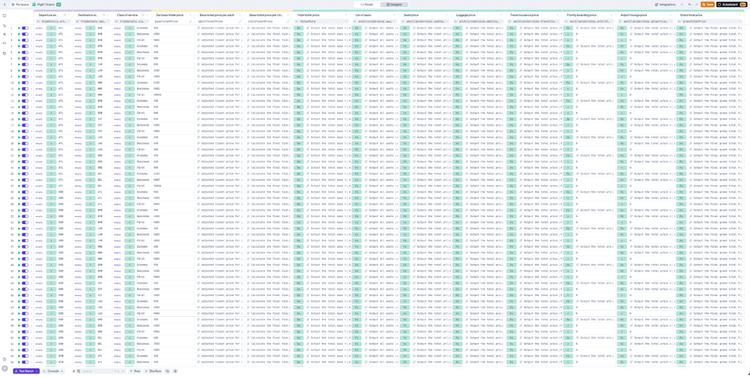
Large Decision Table
An Expert That Understands Your Decision Tables
With the new AI Assistant, all of these tasks become faster. Accessible directly from your Rules List and the Decision Table editor, the assistant reads your table's structure and understands your logic. It helps you analyze, test, and document in seconds instead of minutes.
How the AI Assistant Transforms Your Workflow
The AI Assistant isn't just a chatbot, it is a contextual expert deeply integrated into your workspace. Instead of forcing you to switch contexts or search through external documentation, it accelerates your daily operations directly within the Decision Table editor.
From Excel to Decision Rules in Seconds
Migrating legacy logic is often the biggest hurdle for new teams. The AI Assistant removes the need for manual, row-by-row translation. You can simply copy your existing Excel data or describe your business logic in plain language, and the assistant will generate the correct Decision Table structure for you automatically.
Once the table is built, the assistant ensures you aren't left guessing how it works. It can instantly explain the input and output models or walk you through the logic of specific row evaluations, making it easier than ever to hand off projects to colleagues.
From Excel to Decision Rules in Seconds
Automating Test Data and Complex Functions
One of the most time-consuming aspects of rule management is verifying that your logic holds up against real-world scenarios. The AI Assistant eliminates manual input creation by generating test data on demand. You can request random inputs to stress-test your table or ask for specific cases that trigger exact rows, ensuring your rules perform exactly as intended before deployment.
Beyond testing, the assistant acts as a coding partner. If you need to implement complex cell logic, such as calculating dates or applying conditional discounts, you no longer need to hunt for syntax. Just ask the assistant to write the function for you.
AI Assistant automatically generates test data
Real-Time Guidance
The assistant is also connected directly to the official DecisionRules Documentation. If you are unsure how to publish a table or add a new column, it won't just tell you; it will highlight the exact UI element you need to click.
Here are a few ways you might interact with the assistant:
- "Explain what this Decision Table does and how the inputs affect the output."
- "Generate 10 random test cases to cover the usual edge cases."
- "Write a function that applies a 15% discount if the baseTicketPrice is greater than 1000."
- "Show me how to publish this version."
Get real-time guidance linked directly to the official documentation

Ivan Peresta
Product Analyst